
Download Adobe Firefly – AI‑Powered Image Generation, Creative Tools & Secure Cloud Workflow
Overview & Core Concept
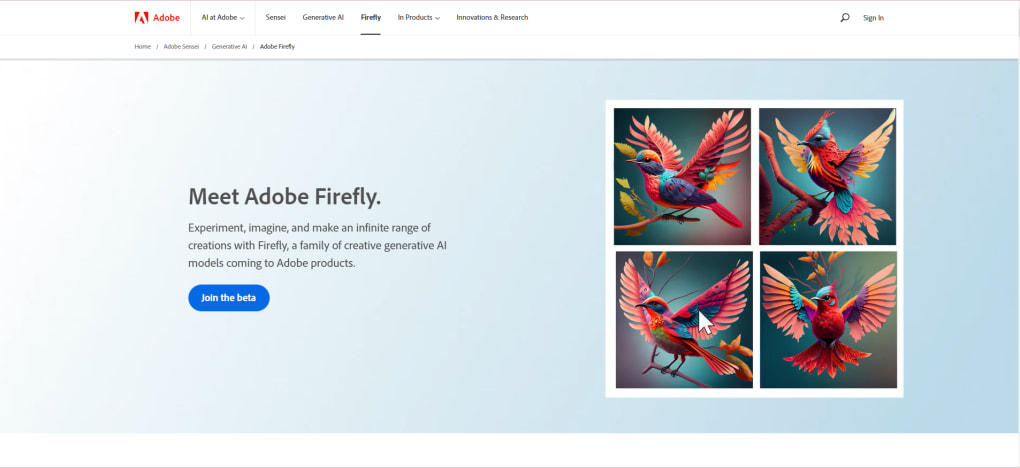
Adobe Firefly marks Adobe’s bold entry into the rapidly expanding world of artificial‑intelligence‑driven creativity. Built on the foundation of Adobe’s massive stock‑photo library, openly licensed assets, and public‑domain works, Firefly promises a more ethical AI experience—creators can even opt‑out of having their own designs used for model training via a “Do Not Train” tag. At its current demo stage, Firefly offers two headline capabilities: text‑to‑image generation and text‑style rendering.
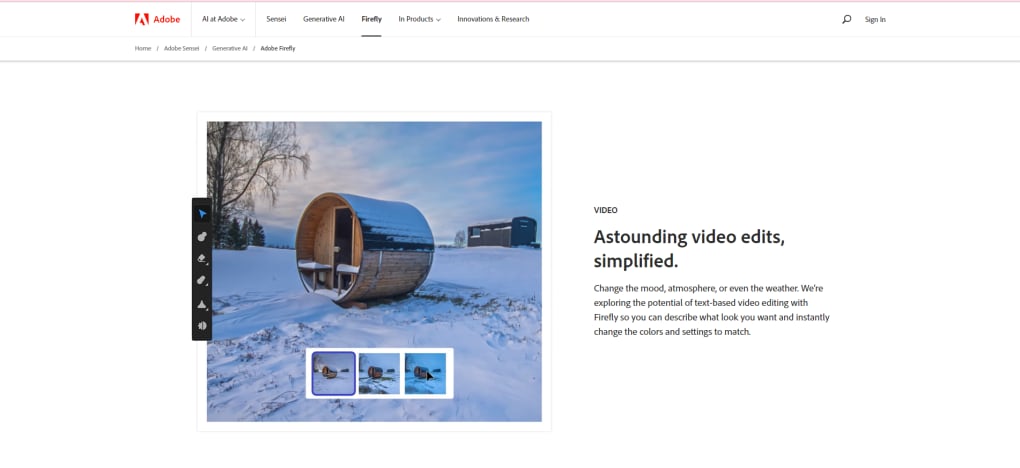
The former works much like other generative engines (e.g., Midjourney), turning a short prompt into a high‑resolution image that can be refined with lighting, filters, and content‑type tweaks. The latter lets you type a phrase and instantly receive a typographic rendering with custom textures—think melted chocolate letters or neon‑glow script—while also allowing font swaps on the fly. Adobe envisions a future where these core functions expand into advanced image/video editing, 3D modeling, brush creation, and vector generation.
Although still in beta, the platform already incorporates safeguards such as training‑data transparency and a community‑driven “Do Not Train” feature, positioning it as a more responsible alternative in a space often plagued by copyright concerns. As a result, Adobe Firefly is not just another AI art generator; it’s a carefully curated, creator‑first ecosystem that aims to blend the power of generative AI with Adobe’s long‑standing design pedigree.
Features, Installation, and Compatibility
Key Features (itemprop="featureList")
- Text‑to‑Image Generation – Create detailed visuals from simple prompts.
- Text‑Style Rendering – Apply realistic textures and materials to typed words.
- AI‑Enhanced Filters – Adjust lighting, contrast, and color with one‑click AI filters.
- Secure Training Data – Only uses Adobe Stock, openly licensed, and public‑domain assets.
- Do Not Train Tag – Gives creators control over whether their work is used for model training.
- Future‑Ready Roadmap – Planned tools for video editing, 3D asset creation, custom brushes, and vector generation.
Installation & Usage Instructions
Getting started with Adobe Firefly is straightforward, even for users who are new to AI‑driven design. Follow these steps:
- Create an Adobe ID (or sign in with an existing account) on the official Firefly demo page.
- Join the beta program by accepting the invitation link. Adobe may request basic usage information to improve the model.
- Access the web‑based interface. Firefly runs entirely in the browser, so no heavy download is required—just a modern browser (Chrome, Edge, Safari, or Firefox) and an internet connection.
- Enter a prompt in the “Generate Image” field, choose your preferred style (photo, illustration, vector, etc.), and click “Create”. The AI will render the image in seconds.
- Fine‑tune the result using built‑in sliders for brightness, contrast, and saturation, or apply one of the AI‑powered filters for a quick makeover.
- Save or export the final asset directly to your Creative Cloud library, or download it as PNG, JPEG, or SVG for use in other applications.
Compatibility (itemprop="operatingSystem")
Because Adobe Firefly is a cloud‑first service, it works across all major operating systems. Users on Windows 10/11, macOS Ventura and later, as well as Linux users with a compatible browser, can access the full feature set. Mobile users on iOS 14+ and Android 9+ can also generate images through the responsive web interface, though some advanced filters are currently optimized for desktop environments. Adobe recommends using the latest browser version to ensure smooth AI processing and secure SSL connections.
Pros, Cons, and Frequently Asked Questions
Pros
- Ethical AI training data sourced from Adobe’s own licensed assets.
- Intuitive, browser‑based UI eliminates the need for heavy installations.
- Powerful text‑style rendering that goes beyond simple fonts.
- Seamless integration with Creative Cloud for easy asset management.
- Future‑focused roadmap promising video, 3D, and vector capabilities.
Cons
- Currently limited to two core features; advanced editing still in development.
- Beta‑stage performance can be inconsistent on slower internet connections.
- Results may vary—some prompts produce less accurate images.
- Requires an Adobe account, which may be a barrier for casual users.
- Free tier includes usage caps; premium plans are yet to be announced.
FAQ (itemscope itemtype="https://schema.org/FAQPage")
Is Adobe Firefly completely free to use?
The current demo is free for beta participants, but Adobe plans to introduce tiered pricing for commercial use once the full product launches.
Can I use Firefly‑generated images for commercial projects?
Yes, assets created in the demo can be used commercially, provided you comply with Adobe’s licensing terms and do not infringe on third‑party rights.
What does the “Do Not Train” tag do?
When applied, the tag tells Firefly’s training pipeline to exclude that specific asset from future model updates, giving creators control over their intellectual property.
Which browsers are officially supported?
Adobe recommends the latest versions of Chrome, Edge, Safari, or Firefox for optimal performance.
Will Firefly work offline?
Because the AI models run on Adobe’s cloud servers, an active internet connection is required for generation and rendering.
Adobe Firefly impresses with its ethical data stance and seamless Creative Cloud integration, though its limited feature set in the beta phase leaves power users wanting more.
Conclusion & Call to Action
Adobe Firefly represents a thoughtful, creator‑centric approach to AI‑generated imagery. By anchoring its training data to Adobe Stock and offering explicit opt‑out controls, the platform tackles many of the copyright controversies that have plagued other generative tools. While the current demo only showcases two primary functions—text‑to‑image and text‑style rendering—the roadmap promises a robust suite of editing, 3D, and vector capabilities that could eventually rival full‑featured design suites.
For designers, marketers, and hobbyists who already live in the Adobe ecosystem, Firefly provides a low‑friction entry point to experiment with AI while keeping assets securely synced to Creative Cloud. The browser‑based experience ensures cross‑platform accessibility, and the free beta makes it easy to test the waters without upfront cost. If you’re ready to explore the next frontier of AI‑assisted creativity, download Adobe Firefly today, join the beta, and start turning simple prompts into polished visual assets.
Remember to bookmark the official Firefly page, enable the “Do Not Train” option for any proprietary work you wish to protect, and keep an eye on Adobe’s upcoming feature releases. The future of generative design is arriving—be part of it.



.png)



